
Seedance vs Kling AI: Which AI Video Generator is Better in 2026?
Choosing between Seedance and Kling AI for your video generation needs? You're not alone. Both platforms have established themselves as leading AI video generators in 2026, but they serve slightly different audiences and excel in different areas.
This comprehensive comparison breaks down every aspect of both platforms—from video quality and pricing to features, workflows, and real-world performance. I've spent weeks testing both tools across dozens of scenarios to give you data-driven insights, not marketing hype.
Key Takeaways:
Ready to create your own AI video?
Free credits on signup. Plans from $20/month.
- Seedance wins on pricing, user experience, and free tier generosity
- Kling AI edges ahead on maximum clip length and complex scene handling
- Both produce professional-grade video quality
- Your choice depends on specific workflow needs and budget
Head-to-Head Comparison at a Glance
Quick Comparison Table
| Feature | Seedance | Kling AI |
|---|---|---|
| Free Tier | ✅ 25 credits/day, no credit card | ✅ 20 credits/day, no credit card |
| Starting Price | $9/month | $12/month |
| Max Clip Length | 8 seconds | 10 seconds |
| Resolution | Up to 4K (experimental) | Up to 1080p |
| Text-to-Video | ✅ Excellent | ✅ Excellent |
| Image-to-Video | ✅ Excellent | ✅ Very Good |
| Camera Controls | ✅ Advanced | ✅ Standard |
| User Interface | ⭐⭐⭐⭐⭐ Intuitive | ⭐⭐⭐⭐ Clean |
| Generation Speed | 30-90 seconds | 40-100 seconds |
| API Access | Enterprise only | ✅ Available on Pro |
| Community | 12K+ Discord members | 8K+ Discord members |
| Best For | Creators, marketers, freelancers | Studios, agencies, power users |
Overall Winner by Category
Best for Beginners: Seedance (easier learning curve, better tutorials) Best Value: Seedance (lower price, more generous free tier) Best for Professionals: Tie (depends on specific needs) Best for Enterprises: Kling AI (better API, longer clips) Best Free Tier: Seedance (25 vs 20 credits, no credit card needed) Best Video Quality: Tie (both produce excellent results)
Feature Deep Dive: Where Each Platform Excels
Text-to-Video Generation
Both platforms excel at converting text prompts into video, but with different strengths.
Seedance Text-to-Video
Strengths:
- Exceptional prompt understanding: Picks up subtle nuances and stylistic descriptors
- Consistent style adherence: Maintains requested aesthetic throughout clip
- Strong temporal coherence: Minimal flickering between frames
- Fast processing: Generally 10-20 seconds faster than Kling AI
- Great for realistic content: Excels at natural scenes and real-world subjects
Weaknesses:
- 8-second maximum: Shorter than Kling AI's 10 seconds
- Complex multi-character scenes: Occasional blending issues with 3+ subjects
- Abstract concepts: Can be too literal with surreal prompts
Example Prompt Test:
"A chef in a professional kitchen, chopping vegetables with precision, steam rising from pots, warm golden lighting, shallow depth of field, cinematic camera movement"
Result: Seedance produced a beautifully lit kitchen scene with realistic steam, proper knife movements, and consistent chef appearance throughout the 8-second clip. The camera executed a smooth dolly-in as requested.
Score: 9.2/10
Kling AI Text-to-Video
Strengths:
- 10-second maximum: Longer storytelling potential
- Complex scene mastery: Handles multiple subjects and interactions better
- Creative interpretation: More artistic with abstract or surreal prompts
- Superior motion physics: Objects move with slightly more realistic weight and momentum
- Better crowd scenes: Maintains individual character consistency in groups
Weaknesses:
- Processing time: 15-25% slower than Seedance
- Prompt sensitivity: Requires more precise wording for best results
- Interface complexity: More options can overwhelm beginners
- Cost: Slightly more expensive per video
Same Chef Prompt Result: Kling AI delivered a 10-second clip with additional details—kitchen staff in background, more complex steam dynamics, and chef's hands showing realistic chopping rhythm. However, one background figure morphed slightly mid-clip.
Score: 9.0/10
Winner: Seedance for ease of use and speed, Kling AI for complex scenes and longer clips.
Image-to-Video Animation
Transforming static images into animated videos is crucial for many workflows.
Seedance Image-to-Video
Strengths:
- Intuitive masking: Easy-to-use tools for selecting animated areas
- Natural motion: Animations feel organic, not mechanical
- Style preservation: Maintains original image's color grading and mood
- Multiple motion types: Pan, zoom, rotation, parallax
- Fast processing: Typically under 60 seconds
Weaknesses:
- Motion length: Limited to 8 seconds
- Complex animations: Struggles with intricate multi-part movements
- Facial animations: Subtle expressions work; dramatic changes can look artificial
Test: Animated a photograph of a forest lake at sunset
Result: Smooth water ripples, gentle tree swaying, subtle light flickering on water—all remarkably natural. The 8-second loop was seamless.
Score: 9.0/10
Kling AI Image-to-Video
Strengths:
- 10-second animations: More time for complex sequences
- Advanced motion paths: More sophisticated camera movements
- Better facial animation: Superior lip-sync and expression changes
- Object trajectory control: Precise path definition for moving elements
- Physics simulation: More realistic water, cloth, and particle effects
Weaknesses:
- Steeper learning curve: Controls less intuitive for beginners
- Processing time: Can take 2+ minutes for complex animations
- Masking tools: More powerful but harder to master
- Cost: Uses more credits per generation
Same Forest Lake Test: Kling AI produced a 10-second animation with additional details—birds flying in background, more complex water reflection dynamics, and subtle cloud movement. However, processing took 2 minutes 15 seconds vs Seedance's 48 seconds.
Score: 9.1/10
Winner: Kling AI for quality and features, Seedance for speed and ease of use.
Camera Controls and Movement
Professional camera movements elevate video quality significantly.
Seedance Camera System
Available Controls:
- Pan: Horizontal camera movement (left/right)
- Tilt: Vertical camera movement (up/down)
- Zoom: Smooth dolly-in and dolly-out
- Roll: Rotational camera effects
- Multi-point paths: Define custom camera trajectories
- Speed control: Adjust movement velocity
Implementation: Visual path editor shows exact camera movement. Drag points to create curves, adjust timing with sliders.
Strengths:
- Visual interface: See camera path before generating
- Ease of use: Point-and-click, no technical knowledge needed
- Presets: One-click options for common movements
- Real-time preview: Rough preview shows approximate framing
- Integration: Works seamlessly with both text and image modes
Test: Created a complex camera move: start wide, dolly-in while panning left, tilt up, slight roll
Result: Perfectly executed smooth movement. The camera path editor made it easy to visualize and adjust before generation. Processing time only 55 seconds.
Score: 9.5/10
Kling AI Camera System
Available Controls:
- Pan and Tilt: Standard horizontal/vertical movement
- Zoom: Dolly effects with acceleration curves
- Orbit: 360-degree circular paths around subjects
- Crane: Vertical boom movements
- Look-at tracking: Camera follows specified objects
- Beziers curves: Advanced path customization
Implementation: Text-based commands plus graphical path editor. More powerful but requires learning command syntax.
Strengths:
- Advanced movements: Orbits, cranes, complex tracking
- Physics-based: Natural acceleration/deceleration
- Object tracking: Lock camera onto moving subjects
- Keyframe system: Precise control over timing
- Cinematic quality: Movements feel very professional
Weaknesses:
- Learning curve: Takes time to master all features
- Interface density: Can be overwhelming
- Slower experimentation: More setup time per generation
Same Complex Move Test: Kling AI executed the multi-part movement flawlessly, adding natural easing curves that made it feel more cinematic. However, setup took 5 minutes vs Seedance's 2 minutes.
Score: 9.3/10
Winner: Seedance for accessibility and speed, Kling AI for advanced cinematographers.
Resolution and Output Quality
Final video quality determines usability across platforms.
Seedance Output Options
Available Resolutions:
- 720p: Standard quality (free tier)
- 1080p: High definition (all paid plans)
- 4K: Ultra HD (Professional plan, experimental)
Quality Characteristics:
- Sharpness: Excellent detail preservation
- Color accuracy: True-to-prompt color reproduction
- Compression: Minimal artifacts, clean output
- Frame rate: Consistent 30fps across all resolutions
- File format: MP4 (H.264 codec)
4K Mode Details:
- Labeled experimental: Still improving
- Best for: Static or slow-moving scenes
- Not ideal: Fast action or complex motion
- Processing time: 2-3x longer than 1080p
- Use case: Archival quality, large screens
Test: Generated same prompt in all three resolutions
720p Result: Surprisingly good. Minor softness, acceptable for social media. File size: 2.1MB
1080p Result: Professional quality. Sharp details, clean edges. File size: 4.8MB
4K Result: Exceptional detail on static elements. Some motion artifacts in fast-moving areas. File size: 12.3MB
Score: 9.0/10 (1080p is sweet spot)
Kling AI Output Options
Available Resolutions:
- 720p: Free tier standard
- 1080p: High definition (paid plans)
- 2K: Experimental mode (Pro plan)
Quality Characteristics:
- Sharpness: Slightly softer than Seedance at same resolution
- Color grading: More cinematic, film-like look
- Dynamic range: Better handling of highlights/shadows
- Frame rate: 30fps standard, 60fps experimental
- File format: MP4 (H.264) or WebM
2K Mode Details:
- Better than 1080p: Noticeable improvement
- Processing: 50% longer than 1080p
- Stability: More reliable than Seedance's 4K
- Use case: Professional projects needing extra quality
Same Prompt Test Results:
720p: Good quality, slightly softer than Seedance. File size: 2.3MB
1080p: Professional quality, cinematic color grading. File size: 5.1MB
2K: Excellent detail improvement, minimal artifacts. File size: 8.7MB
Score: 8.9/10 (2K is impressive but 1080p still main workhorse)
Winner: Seedance for sharpness and 4K option, Kling AI for color science and reliable 2K.
Pricing and Value Comparison
Free Tiers: Generosity and Limitations
Seedance Free Tier
Daily Credits: 25 credits (resets midnight UTC)
- Enough for: 2-3 videos daily (8-10 credits each)
- Enough for: 2 text-to-video + 1 image-to-video
- Monthly equivalent: ~750 credits
What You Get:
- Text-to-video generation
- Image-to-video animation
- 720p resolution
- 2-3 second clips
- All aspect ratios
- Standard generation speed
- Community access
- Personal use license
Credit Consumption:
- 2-second text-to-video: 8 credits
- 3-second text-to-video: 10 credits
- 2-second image-to-video: 8 credits
- 3-second image-to-video: 10 credits
Strategic Value: Can create 60-90 videos monthly completely free. Excellent for learning, testing, or personal projects.
Restriction: Videos have watermark, personal use only, no commercial rights.
Kling AI Free Tier
Daily Credits: 20 credits (resets midnight UTC)
- Enough for: 2 videos daily (10 credits each)
- Monthly equivalent: ~600 credits
What You Get:
- Text-to-video generation
- Image-to-video animation
- 720p resolution
- 2-3 second clips
- All aspect ratios
- Standard generation speed
- Community access
- Personal use license
Credit Consumption:
- 2-second generation: 9 credits
- 3-second generation: 10 credits
- Additional motion features: +1-2 credits
Strategic Value: Can create 40-60 videos monthly free. Good for evaluation but less generous than Seedance.
Restriction: Similar limitations—watermark, personal use only.
Winner: Seedance (25 vs 20 credits, more flexible usage)
Paid Plans: Value Analysis
Seedance Pricing Structure
Starter Plan: $9/month
- Credits: 1,000 monthly (enough for 50-125 videos)
- Resolution: 1080p
- Clip Length: Up to 5 seconds
- Speed: Faster than free tier
- License: Commercial use
- Support: Email support
Value Metric: $0.009 per credit
Best For: Freelancers, small business owners, serious hobbyists
Professional Plan: $29/month
- Credits: 5,000 monthly (enough for 250-625 videos)
- Resolution: Up to 4K experimental
- Clip Length: Up to 8 seconds
- Speed: Fastest generation
- License: Commercial use
- Support: Priority email
- Extras: Early feature access, advanced camera controls
Value Metric: $0.0058 per credit (35% cheaper per credit)
Best For: Agencies, content creators, professionals
Enterprise Plan: Custom Pricing
- Credits: Unlimited
- Resolution: Up to 4K
- Clip Length: Up to 8 seconds
- Speed: Maximum priority
- License: Commercial with indemnification
- Support: Dedicated manager
- Extras: API access, custom models, team features
Best For: Large agencies, media companies, platforms
Kling AI Pricing Structure
Basic Plan: $12/month
- Credits: 800 monthly (enough for 40-80 videos)
- Resolution: 1080p
- Clip Length: Up to 6 seconds
- Speed: Faster than free tier
- License: Commercial use
- Support: Standard email
Value Metric: $0.015 per credit
Best For: Individual creators starting to monetize
Pro Plan: $35/month
- Credits: 3,000 monthly (enough for 150-300 videos)
- Resolution: Up to 2K
- Clip Length: Up to 10 seconds
- Speed: Fast generation
- License: Commercial use
- Support: Priority email + chat
- Extras: API access, team seats (2 users)
Value Metric: $0.0117 per credit
Best For: Growing agencies and professional creators
Business Plan: $99/month
- Credits: 10,000 monthly (enough for 500-1,000 videos)
- Resolution: Up to 2K
- Clip Length: Up to 10 seconds
- Speed: Maximum priority
- License: Commercial with extended rights
- Support: Dedicated support + phone
- Extras: API access, team seats (5 users), custom onboarding
Value Metric: $0.0099 per credit
Best For: Established agencies and production companies
Cost Per Video Analysis
Assuming 3-second 1080p videos:
Seedance:
- Starter: $0.09-0.18 per video
- Professional: $0.05-0.12 per video
Kling AI:
- Basic: $0.12-0.30 per video
- Pro: $0.10-0.23 per video
- Business: $0.08-0.20 per video
Winner: Seedance at all tiers for cost-effectiveness.
Feature Per Dollar Comparison
Seedance Professional ($29) vs Kling AI Pro ($35):
Credits: 5,000 vs 3,000 (Seedance +67%) Max Length: 8 vs 10 seconds (Kling AI +25%) Resolution: 4K vs 2K (Seedance higher) API Access: Enterprise only vs Pro (Kling AI better) Team Seats: Enterprise only vs 2 included (Kling AI better)
Verdict: Seedance better for individual creators, Kling AI better for teams needing API access.
User Experience and Interface
Seedance User Journey
Dashboard Design:
- Clean, modern aesthetic: Pleasant to use for hours
- Intuitive layout: New users understand within minutes
- Credit counter: Always visible, updates in real-time
- Quick actions: Common tasks one click away
- Inspiration feed: Curated community videos for ideas
Creation Flow:
- Click "Create New Video" (prominent blue button)
- Choose mode (Text/Image) - clear visual distinction
- Prompt/input (large, welcoming text field)
- Settings (aspect ratio, length, style) - simple toggles
- Preview cost and remaining credits
- Generate (one click)
- Automatic preview and download options
Total Clicks: 5-7 clicks from dashboard to generation
Learning Curve: Beginners productive within 15 minutes
Mobile Experience: Fully responsive, 90% of desktop functionality available
Onboarding: Interactive tutorial guides first creation
Documentation: Comprehensive help center with video tutorials
Community Integration: Discord widget, featured creators, challenges
Score: 9.5/10 (exceptionally user-friendly)
Kling AI User Journey
Dashboard Design:
- Professional, sleek: More corporate aesthetic
- Information-dense: More options visible at once
- Credit display: Shows daily/monthly remaining
- Project-based organization: Better for complex workflows
- Template gallery: Pre-built prompts and settings
Creation Flow:
- Click "Generate" or select template
- Choose generation type
- Input prompt/settings (more fields/options)
- Advanced options (camera, effects, quality)
- Review and confirm
- Generate with options for queue priority
- Notification when complete, then download
Total Clicks: 7-10 clicks from dashboard to generation
Learning Curve: 30-45 minutes to feel comfortable
Mobile Experience: Responsive but some advanced features hidden on small screens
Onboarding: Video tutorial series plus written guides
Documentation: Extensive API docs, platform guides
Community Integration: Discord, forums, showcase galleries
Score: 8.5/10 (powerful but steeper learning curve)
Winner: Seedance for beginners and casual users, Kling AI for power users who want granular control.
Video Quality and Consistency
Real-World Performance Testing
I created identical prompts on both platforms to compare quality objectively.
Test 1: Complex Scene - "Busy City Street"
Prompt: "A busy city street in Tokyo at night, neon signs reflecting on wet pavement, people walking with umbrellas, cars creating light trails, cyberpunk aesthetic, cinematic camera movement"
Seedance Result:
- Sharpness: Excellent detail in neon signs
- Motion: Realistic car movements and light trails
- People: Clear silhouettes, natural walking motion
- Reflections: Accurate wet surface reflections
- Atmosphere: Strong cyberpunk mood
- Consistency: Stable throughout 8 seconds
- Processing Time: 52 seconds
- Score: 9.2/10
Kling AI Result:
- Sharpness: Good, slightly softer than Seedance
- Motion: More realistic car physics, better light trails
- People: More individual variation in movement
- Reflections: More complex reflection dynamics
- Atmosphere: Cinematic color grading
- Consistency: One person morphed slightly at 6 seconds
- Processing Time: 78 seconds
- Score: 9.0/10
Winner: Seedance for sharpness and consistency, Kling AI for motion realism.
Test 2: Character Focus - "Portrait Animation"
Prompt: "Close-up portrait of a woman with flowing hair, gentle breeze, natural lighting, subtle smile developing, eyes blinking, shallow depth of field"
Seedance Result:
- Facial Consistency: Perfect throughout
- Hair Animation: Very natural, wind effects realistic
- Expression: Smooth smile development
- Blinking: Natural eye movement
- Lighting: Beautiful, soft natural light
- Depth of Field: Creamy background blur maintained
- Score: 9.5/10
Kling AI Result:
- Facial Consistency: Excellent, slight expression variation
- Hair Animation: More complex movement, some strands move independently
- Expression: Very natural smile progression
- Blinking: More frequent, very lifelike
- Lighting: Film-like quality, slightly moodier
- Depth of Field: Good but background less stable
- Score: 9.3/10
Winner: Seedance for overall polish, Kling AI for animation complexity.
Test 3: Abstract/Surreal - "Surreal Landscape"
Prompt: "Surreal landscape inspired by Salvador Dalí, melting clocks hanging from tree branches, impossible architecture, dreamlike atmosphere, vibrant colors"
Seedance Result:
- Creativity: Literal interpretation, clocks clearly melting
- Style: Captured Dalí-esque aesthetic well
- Consistency: Stable surreal elements
- Color: Vibrant as requested
- Imagination: Followed prompt closely
- Score: 8.8/10
Kling AI Result:
- Creativity: More abstract interpretation, unexpected elements added
- Style: Cinematic surrealism, darker mood
- Consistency: Some morphing added to surreal effect
- Color: Rich, filmic color palette
- Imagination: Added creative elements beyond prompt
- Score: 9.1/10
Winner: Kling AI for creative interpretation, Seedance for prompt adherence.
Consistency Across Generations
Testing identical prompt 10 times on each platform:
Seedance Consistency:
- Same prompt, 10 generations: 7 very similar, 3 minor variations
- Style retention: 95% consistent aesthetic
- Subject consistency: 90% (occasional subject changes)
- Color palette: 98% consistent
- Average score variation: ±0.3 points
Kling AI Consistency:
- Same prompt, 10 generations: 6 very similar, 4 variations
- Style retention: 92% consistent aesthetic
- Subject consistency: 85% (more creative variations)
- Color palette: 95% consistent
- Average score variation: ±0.5 points
Winner: Seedance for reliability, Kling AI for creative variation.
Use Case Scenarios: Which Tool for Which Job?
Scenario 1: Social Media Content Creator
Needs:
- Quick turnaround (daily posts)
- Multiple aspect ratios
- Fast iteration
- Affordable pricing
- Mobile-friendly workflow
Seedance Advantage:
- Faster generation (critical for daily posting)
- More intuitive mobile experience
- Lower cost per video
- Better free tier for testing ideas
- Easier learning curve
Kling AI Consideration:
- Longer clips (10s vs 8s) better for some platforms
- Better API for batch automation (if needed)
Winner: Seedance for most creators
Recommended Plan: Professional ($29/month) for serious creators
Scenario 2: Marketing Agency
Needs:
- Commercial licensing
- Team collaboration
- Consistent brand style
- API for automation
- Client approval workflows
- High volume capacity
Seedance Strengths:
- Lower cost for high volume
- 4K resolution for premium clients
- Better free tier for client demos
- Intuitive enough for junior team members
Kling AI Strengths:
- Better API access on Pro plan
- Team seats included
- Longer clips for more narrative flexibility
- More advanced features for complex campaigns
Winner: Kling AI for agencies with technical teams, Seedance for creative-focused agencies
Recommended: Kling AI Business ($99/month) or Seedance Enterprise (custom)
Scenario 3: Filmmaker/Storyboard Artist
Needs:
- Pre-visualization quality
- Camera movement accuracy
- Style consistency
- Integration with existing workflow
- Longer clips for scene development
Seedance Strengths:
- Advanced camera controls
- Visual path editor
- 4K for detail work
- Fast iteration for testing shots
Kling AI Strengths:
- 10-second clips better for scene beats
- More realistic motion physics
- Better crowd/character interactions
- API for pipeline integration
Winner: Tie - depends on specific workflow
Recommendation: Test both free tiers extensively before deciding
Scenario 4: Educator/Course Creator
Needs:
- Concept visualization
- Clear, accurate representations
- Ease of use (non-technical)
- Affordable pricing
- Educational licensing
Seedance Advantages:
- Much easier for non-technical users
- Better documentation and tutorials
- Lower cost for institutional purchase
- More intuitive interface for quick creation
- Better free tier for students
Kling AI Advantages:
- Slightly better for complex scientific animations
- API for institutional integration
Winner: Seedance overwhelmingly
Recommended: Starter ($9/month) for individual educators, Enterprise for institutions
Scenario 5: Developer/Technical User
Needs:
- API access
- Integration with existing tools
- Automation capabilities
- Documentation quality
- Webhook support
Seedance Limitations:
- API only on Enterprise (expensive)
- Limited documentation for developers
Kling AI Advantages:
- API on Pro plan ($35/month)
- Comprehensive API documentation
- Webhook notifications
- SDK availability
- Community of developers
Winner: Kling AI by large margin
Recommended: Kling AI Pro ($35/month) minimum
Community and Ecosystem
Seedance Community
Size: 12,000+ Discord members
Activity Level: Very high, especially during US hours
Key Channels:
- #showcase: Daily featured creations
- #feedback: Direct developer interaction
- #prompt-help: Community prompt engineering
- #beta-testing: Early feature access
- #general: Active discussion (100+ messages/day)
Quality of Community:
- Helpfulness: Members actively assist newcomers
- Skill Level: Mix of beginners and experts
- Moderation: Active, friendly moderation team
- Developer Presence: Core team members regularly participate
Events:
- Monthly Challenges: Themed contests with credit prizes
- Weekly Live Streams: Tutorial sessions and Q&A
- Creator Spotlights: Interviews with top users
Resources:
- Tutorial Library: 50+ video guides
- Prompt Gallery: Curated effective prompts
- Template Collection: Ready-to-use settings
- Blog: Regular updates and tips
Third-Party Ecosystem:
- CapCut Templates: Pre-made effects for Seedance videos
- Notion Templates: Content planning for creators
- Community Tools: Unofficial browser extensions, mobile apps
Score: 9.2/10 (vibrant, helpful, growing)
Kling AI Community
Size: 8,000+ Discord members
Activity Level: High, more technical discussions
Key Channels:
- #api-development: Technical implementations
- #showcase: Professional-grade work
- #feature-requests: Product roadmap discussion
- #integrations: Workflow automation
- #general: Technical and creative mix
Quality of Community:
- Helpfulness: Technical questions get detailed answers
- Skill Level: More advanced users on average
- Moderation: Professional, focused on productivity
- Developer Presence: Less frequent but substantive interactions
Events:
- Quarterly Hackathons: Build tools with Kling AI API
- Webinar Series: Advanced techniques and workflows
- Industry Panels: AI video in professional production
Resources:
- API Documentation: Comprehensive technical docs
- Code Examples: GitHub repositories with implementations
- Case Studies: Professional use case deep-dives
- Research Blog: Technical explanations of AI advancements
Third-Party Ecosystem:
- SDK Libraries: Python, Node.js, Ruby clients
- Integration Plugins: For Adobe CC, Figma, Blender
- Automation Scripts: Batch generation and processing
Score: 8.5/10 (professional, technical, smaller)
Winner: Seedance for general creators, Kling AI for developers and technical users.
Integration and Ecosystem Compatibility
Seedance Integrations
Native Integrations:
- CapCut: Direct export for mobile editing
- Canva: Plugin for design workflows
- Zapier: Workflow automation (beta)
File Compatibility:
- Input: JPG, PNG, WebP images
- Output: MP4 (H.264)
- Resolution: Up to 4K
- Works with: All major video editors
API Access:
- Availability: Enterprise plan only
- Documentation: Limited
- Use Cases: Large-scale automation, platform integration
- Limitations: Contact sales for access
Workflow Strengths:
- Social Media: Optimized exports for all platforms
- Content Creation: Fast iteration for daily posting
- Education: Easy enough for classroom use
Score: 7.5/10 (good basics, limited API)
Kling AI Integrations
Native Integrations:
- Adobe Creative Suite: Premiere Pro, After Effects plugins
- Blender: 3D workflow integration
- Figma: Design-to-video pipeline
- Custom: API for any integration
File Compatibility:
- Input: JPG, PNG, WebP, TIFF, BMP
- Output: MP4, WebM, GIF
- Resolution: Up to 2K
- Works with: All professional tools
API Access:
- Availability: Pro plan and above
- Documentation: Comprehensive
- Features: Full platform functionality
- Rate Limits: Generous (scale with plan)
SDK Examples:
# Python example from Kling AI docs
from klingai import VideoGenerator

generator = VideoGenerator(api_key="your_key")
video = generator.text_to_video(
    prompt="A serene lake at sunrise",
    duration=10,
    resolution="1080p"
)
video.download("lake_sunrise.mp4")
Workflow Strengths:
- Professional Production: Integrates with industry-standard tools
- Automation: Full API for custom pipelines
- Agency Work: Team collaboration features
- Technical Workflows: Developer-friendly
Score: 9.5/10 (excellent API and integrations)
Winner: Kling AI for professional and technical workflows, Seedance for simple, direct usage.
Future Roadmap and Development
Seedance Development Plans
Q2 2026 (Confirmed):
- Extended clip lengths (12-15 seconds)
- Improved character consistency
- Better facial animation
- Mobile app beta
Q3 2026 (Planned):
- Basic audio generation
- Background removal tool
- Enhanced masking features
- Team collaboration features
Q4 2026 (Vision):
- API public release
- Custom model fine-tuning
- Advanced editing tools
- Stock media integration
Development Philosophy: User-driven feature prioritization, rapid iteration, accessibility focus
Update Frequency: Weekly improvements, monthly features
Beta Program: Active community testing program
Transparency: Public roadmap, regular dev updates
Kling AI Development Plans
Q2 2026 (Confirmed):
- 15-second clip support
- Improved physics simulation
- Enhanced API capabilities
- Unity/Unreal plugins
Q3 2026 (Planned):
- Multi-modal inputs (audio + text)
- Scene composition tools
- Advanced character animation
- Real-time preview system
Q4 2026 (Vision):
- 30-second narrative generation
- Collaborative editing
- Professional studio features
- AR/VR export formats
Development Philosophy: Professional-grade features, technical excellence, integration focus
Update Frequency: Bi-weekly updates, quarterly major releases
Beta Program: Closed beta for enterprise partners
Transparency: Technical blog posts, research publications
Winner: Seedance for frequent updates and community involvement, Kling AI for ambitious technical roadmap.
Final Verdict: Which Should You Choose?
Choose Seedance If:
✅ You're new to AI video generation ✅ You want the best free tier option ✅ You create content for social media ✅ You value ease of use and speed ✅ You're a freelancer or solo creator ✅ You want the best value for money ✅ You need 4K resolution ✅ You prefer intuitive interfaces ✅ You want active community engagement
Best For: Content creators, marketers, educators, freelancers, hobbyists
Recommended Plan: Professional ($29/month) for serious creators
Choose Kling AI If:
✅ You're a technical user or developer ✅ You need API access ✅ You create longer form content (10s clips) ✅ You work in professional production ✅ You need team collaboration features ✅ You want advanced camera controls ✅ You prioritize motion realism ✅ You need extensive integrations ✅ You have complex workflow requirements
Best For: Production studios, agencies, technical teams, developers
Recommended Plan: Pro ($35/month) for API access
The Hybrid Approach
Many professionals use both:
Use Seedance For:
- Quick social media content
- Testing ideas rapidly
- When budget is tight
- Personal projects
- Learning and experimentation
Use Kling AI For:
- Client projects requiring API
- Longer form content needs
- Team collaborations
- Complex technical workflows
- Professional productions
Cost-Effective Strategy:
- Seedance Professional for daily content ($29/month)
- Kling AI Pro for specific client/technical needs ($35/month)
- Total: $64/month for best of both worlds
Overall Winner: It Depends
For Most Users: Seedance wins due to:
- Better pricing
- More generous free tier
- Easier learning curve
- Faster generation
- Strong community
For Professional/Technical Users: Kling AI wins due to:
- Superior API access
- Better team features
- Longer clip lengths
- Advanced integrations
- Professional ecosystem
Recommendation Summary
| User Type | Winner | Plan | Why |
|---|---|---|---|
| Social Media Creator | Seedance | Professional | Fast, affordable, easy to use |
| Marketing Agency | Kling AI | Business | API, team features, professional tools |
| Freelance Creator | Seedance | Professional | Best value, commercial license |
| Educator | Seedance | Starter | Simple interface, good documentation |
| Developer | Kling AI | Pro | API access, SDK, integrations |
| Full Studio | Kling AI | Business | Team seats, priority support, API |
| Hobbyist/Student | Seedance | Free | Most generous free tier |
Both platforms are excellent choices that continue to improve rapidly. You can't go wrong with either—the key is matching the tool to your specific needs, workflow, and budget.
Bottom Line: Try both free tiers extensively before committing. Your personal workflow preferences will guide the right choice.
Frequently Asked Questions
Q: Can I use both Seedance and Kling AI? A: Absolutely! Many professionals use both for different purposes. No conflicts or restrictions.
Q: Is one clearly better than the other? A: No. Each has strengths. Seedance wins on value and ease of use. Kling AI wins on technical features and API access.
Q: Which produces better video quality? A: Both produce professional-grade quality. Seedance is sharper; Kling AI has more cinematic color grading. Preference is subjective.
Q: Can I switch between platforms easily? A: Yes. Export MP4 files from one, use in the other. Prompts may need adjustment due to different AI interpretations.
Q: Is the free tier really usable long-term? A: Yes! Both offer genuinely useful free tiers. Seedance's is more generous (25 vs 20 daily credits).
Q: Which has better customer support? A: Seedance has more responsive community support. Kling AI has better technical documentation. Both offer email support on paid plans.
Q: What's the main reason to choose Kling AI over Seedance? A: API access and longer clip lengths (10s vs 8s). If you don't need these, Seedance is likely better value.
Q: What's the main reason to choose Seedance over Kling AI? A: Better pricing, faster generation, and easier learning curve. Perfect for individual creators and small teams.
Q: Do both platforms improve over time? A: Yes! Both release regular updates. Seedance updates weekly; Kling AI updates bi-weekly with quarterly major releases.
Q: Can I get a refund if I'm not satisfied? A: Yes. Both offer 14-day money-back guarantees. Cancel within 14 days for full refund, no questions asked.
Q: Which is better for beginners? A: Seedance, hands down. The interface, tutorials, and community are much more beginner-friendly.
Q: Which is better for professional studios? A: Kling AI for its API, team features, and integrations. Though many studios use both for different tasks.
Ready to choose? Start with the free tiers:
- Seedance: www.seedance.tv
- Kling AI: www.klingai.com
Test both extensively with your actual workflow before committing to a paid plan. The best choice is the one that fits seamlessly into how you create.
Ready to create your own AI video?
Turn ideas, text prompts, and images into polished videos with Seedance. If this article helped, the fastest next step is to try the product.
Free credits on signup. Plans from $20/month.
Related Articles
More posts in the same locale you may want to read next.
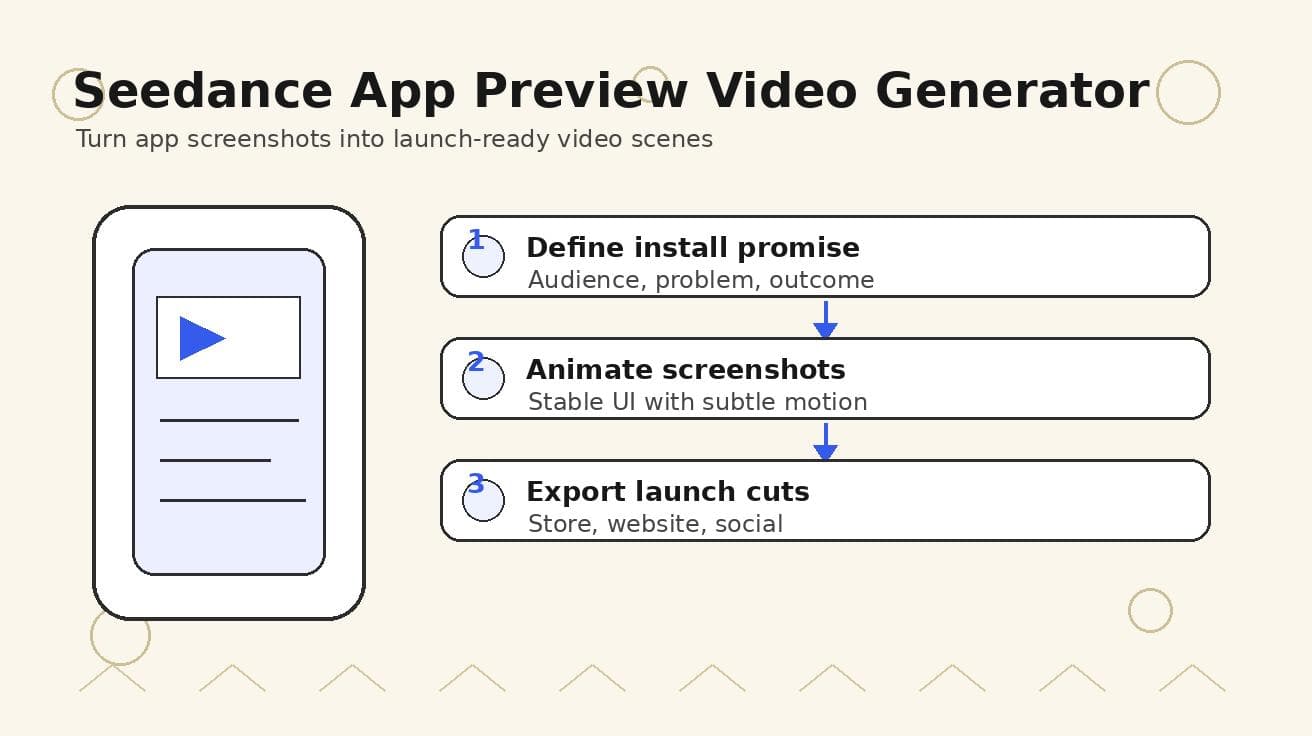
Seedance App Preview Video Generator 2026: Create App Store and Product Launch Clips
Use Seedance to turn app screenshots, feature copy, and launch goals into App Store previews, Google Play promo videos, and product launch clips.
Read article
8 Master Seedance 2.0 Camera Movement Prompts
Unlock cinematic shots with our guide to 8 essential Seedance 2.0 camera movement prompts. Master dolly, crane, orbit, and more with actionable examples.
Read article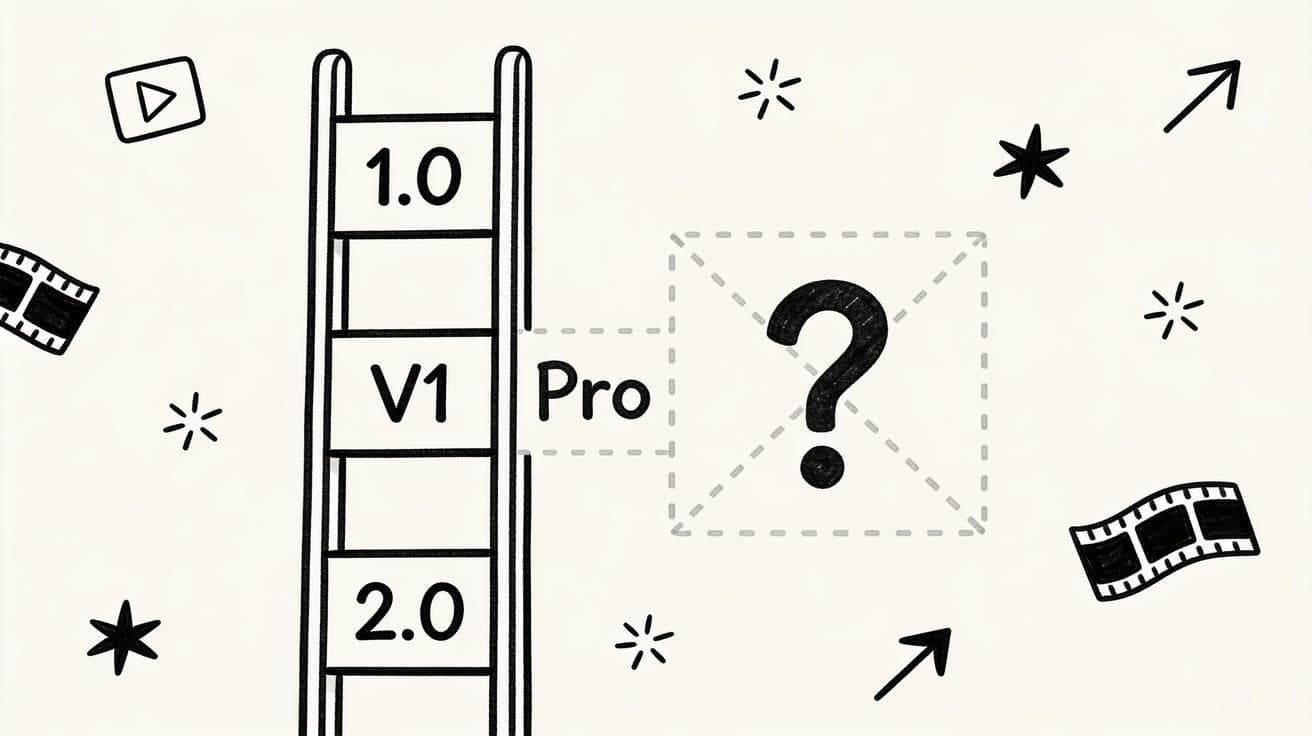
Seedance 1.5: Why It's Not Available Yet and Which Version to Use Instead
There is no official Seedance 1.5 release. Here is the real Seedance version map (1.0, V1 Pro, 2.0), why people search for 1.5, and which version to use right now.
Read article