
AI Video Generator for Marketing: Create High-Converting Video Ads with AI (2026)
Video is the dominant format in digital marketing. In 2026, 91% of businesses use video as a marketing tool, and brands that use AI video generators are producing more content at significantly lower costs.
Quick Answer: AI video generation with Seedance lets you create stunning, professional-quality videos from text prompts or images in just minutes — no editing experience required.
The biggest shift isn't just cost reduction — it's speed and iteration. Traditional video production locks marketing teams into 2-6 week cycles. AI video generates testable creative in hours, letting teams run real experiments and optimize based on real performance data.
This guide covers everything marketing teams need: the best tools, workflows, prompt strategies, and benchmarks for using AI video in campaigns.
Ready to try it yourself?
Free credits on signup. Plans from $20/month.
Why AI Video is a Marketing Game-Changer
Traditional video production has significant friction:
- Cost: Professional video ranges from $1,000 to $50,000+ per video
- Time: Production cycles of 2-6 weeks prevent trend-responsive content
- Scale: Limited capacity means most products never get video coverage
- Testing: A/B testing requires multiple variants — impossible at traditional costs
AI video generators solve all four constraints simultaneously. A single marketing manager can now produce 20-30 video variants per week, test them in live campaigns, and scale what works — a creative velocity that was previously available only to enterprise teams with large production budgets.
Best AI Video Tools for Marketing in 2026
1. Seedance 2.0 — Best for Product and Brand Content
Seedance 2.0 is the top choice for marketing teams. Its image-to-video (animate product photos) and text-to-video (generate lifestyle scenes) covers the full marketing content spectrum.
Marketing strengths:
- Animate product photography for e-commerce and social ads
- Generate lifestyle context videos for brand storytelling
- Create multiple variants for A/B testing — regenerate with one click
- Fast generation (~30 seconds per clip) enables rapid campaign iteration
- No watermark on free tier for immediate commercial use testing
Use case examples:
- E-commerce brand: animate flat-lay product photos into dynamic showcase videos
- SaaS company: generate lifestyle footage of people using computers in context
- Food brand: create appetizing "motion photography" from still food photos
Try free: seedance.tv
2. Runway Gen-4 — Best for Premium Brand Storytelling
Runway's cinematic quality is ideal for premium brands. Fashion, luxury, and lifestyle brands use Runway to produce video that rivals traditionally agency-produced content. The output consistency and fine control over style make it worth the premium price for brands where visual quality directly affects brand perception.
Best for: Luxury brands, fashion content, high-end product marketing, brand films
3. Pika 2.0 — Best for Social Media Ad Campaigns
Pika's speed and social-first orientation make it ideal for performance marketing teams. Create 20 variants, test on Meta and TikTok Ads, scale the winner, then iterate. The platform is optimized for the volume and variety demands of performance advertising.
Best for: Meta Ads, TikTok Ads, Instagram Reels ads, YouTube pre-roll
4. HeyGen — Best for Spokesperson and Explainer Videos
HeyGen creates realistic AI spokesperson videos without talent costs. Multilingual capability (same presenter, 40+ languages) makes it perfect for global campaigns. For B2B companies that need "talking head" explainer videos or product walkthroughs, HeyGen dramatically cuts production costs.
Best for: Sales demos, product explainers, personalized outreach videos, multilingual campaigns
5. Synthesia — Best for Training and Enterprise Marketing
Synthesia specializes in presentation-style videos for enterprise use cases: internal training, sales enablement, corporate communications. For B2B marketing teams producing large volumes of explainer content, Synthesia's avatar library and slide-to-video workflow is extremely efficient.
Best for: B2B companies, training content, corporate communications, multilingual video at scale
Marketing Video Types by Use Case
| Video Type | Best Tool | Why |
|---|---|---|
| Product showcase | Seedance 2.0 | Image-to-video from product photos |
| Social media ads | Pika 2.0 | Speed + social formats |
| Brand storytelling | Runway Gen-4 | Cinematic quality |
| Spokesperson/demo | HeyGen | AI avatar quality |
| TikTok/Reels | Pika 2.0 | Native format optimization |
| Explainer videos | Synthesia | Template workflow |
| B2B case studies | Runway Gen-4 + HeyGen | Professional quality |
| Email marketing video | Seedance 2.0 | Quick thumbnail-style video |
| YouTube ads | Seedance 2.0 / Runway | Length and quality flexibility |
The Complete AI Video Marketing Workflow
Step 1: Define Your Creative Brief (15 min)
Before generating anything, specify:
- Objective: Brand awareness? Conversion? Retention?
- Target audience: Who sees this and what do they care about?
- Platform: Each platform needs different formats and lengths
- Core message: One sentence — what's the video communicating?
- Tone: Premium and aspirational? Practical and informative? Energetic and fun?
Skipping this step leads to generic content that doesn't perform. The brief is how you encode strategy into prompts.
Step 2: Write Effective Marketing Prompts (20 min)
The difference between average and excellent AI video for marketing is almost entirely in prompt quality.
Product ad prompt template:
[Product] in [setting resonating with target audience].
[Key benefit] prominently featured. [Aesthetic: premium/playful/minimal].
[Target emotion: confidence/desire/trust/excitement]. [Camera movement].
[Brand-aligned color palette]. Commercial photography quality.
Lifestyle brand prompt template:
[Target customer profile] in [aspirational but authentic setting].
[Activity that creates natural context for product use].
[Mood: confident/relaxed/successful/energized]. [Time of day/lighting style].
Natural and authentic, not overly staged. [Brand aesthetic keywords].
Social media ad prompt template (short-form):
Quick cut [product/subject]. Attention-grabbing first frame.
[Platform aesthetic: TikTok-native / Instagram editorial / YouTube polished].
High energy, dynamic movement. [Color palette]. Optimized for vertical video.
B2B/professional prompt template:
[Professional setting: modern office/conference room/home office].
[Business activity implying context for product]. Clean, corporate aesthetic.
Confident and trustworthy atmosphere. [Lighting: bright, natural, professional].
No distracting elements. Business casual environment.
Step 3: Generate Multiple Variants (30-60 min)
Never run a single version of any ad creative. The performance difference between variants is often 3-10x, and you can't predict which will win.
Recommended variant approach:
- Generate 3-5 versions with different visual hooks (the first 2 seconds)
- Create 2-3 versions with different emotional tones
- Test horizontal (16:9), square (1:1), and vertical (9:16) formats
- Experiment with different settings/contexts for the same product
With AI video generators, generating 15 variants costs the same as generating 1 — use this to your advantage.
Step 4: Add Brand Elements in Post (30 min)
AI-generated video is your visual foundation. Layer on:
- Logo placement: Usually bottom-right or end frame
- Brand colors: Adjust in post-production to match brand guidelines
- Text overlays: Headline, product name, key benefit, price point
- Call-to-action: "Shop Now", "Learn More", "Try Free" — always include
- Background music: Match energy to content and platform
- Captions: 85% of social video is watched without sound
Free tools: CapCut, DaVinci Resolve, Canva Pro all handle this well.
Step 5: Test, Measure, and Iterate
Run tests with statistical rigor:
- Launch 3-5 variants simultaneously with equal budget
- Minimum test duration: 3-5 days (avoid drawing conclusions from day 1 data)
- Primary metrics: CTR for awareness, CPA for conversion campaigns
- Secondary metrics: Completion rate, saves/shares, landing page bounce rate
When you find a winner, generate 5-10 iterations of that creative style before moving to a new concept.
Platform-Specific Guidelines
Meta Ads (Facebook + Instagram)
- Length: 6-15 seconds for feed ads; 15-30 seconds for stories
- Format: Square (1:1) for feed, Vertical (9:16) for stories/Reels
- Hook: First 3 seconds must earn attention or viewers scroll
- Key: Motion in the first frame prevents scroll — AI video has a natural advantage here
TikTok Ads
- Length: 7-15 seconds for in-feed ads
- Format: Vertical only (9:16)
- Native feel: Over-produced ads underperform — AI video's slightly imperfect naturalism can actually help
- Trend alignment: Respond to TikTok audio/visual trends with AI video same-day
YouTube Pre-Roll
- Skip optimization: Hook in first 5 seconds (that's what non-skippable viewers see)
- Length: 15-30 seconds for non-skippable; 30-60 seconds for skippable
- Format: Horizontal (16:9)
- Quality: YouTube audience has higher quality expectations — use Runway or Seedance 2.0 flagship quality
LinkedIn (B2B)
- Professional aesthetic: Clean, corporate settings work best
- Length: 15-30 seconds
- Format: Square or horizontal
- Content type: Data visualization, professional scenarios, thought leadership context
Email Marketing
- Video in email increases CTR by up to 300%. Use animated GIFs (export your AI video as GIF) or embed a thumbnail that links to the video landing page.
ROI Benchmarks: AI Video in Marketing
| Metric | Traditional Production | AI-Generated |
|---|---|---|
| Cost per 30-sec ad | $5,000–$50,000 | $50–$500 |
| Time to market | 3–8 weeks | 1–3 days |
| Creative variants per campaign | 2–5 | 20–50+ |
| Social CTR lift vs. static image | Baseline | +50–200% |
| Landing page conversion lift | Baseline | +80% (typical) |
| Creative refresh cycle | Monthly | Daily/Weekly |
| Iterations per A/B test | 2–3 | 10–20+ |
For a marketing team spending $2,000/month on content production, shifting to AI video typically:
- Increases content output by 5-10x
- Reduces per-asset cost by 80-90%
- Improves campaign performance through higher volume testing
AI Video for Different Marketing Verticals
E-commerce
The highest-ROI application. Animate product photos into dynamic videos. A static product image that gets 0.5% CTR on Facebook often achieves 1.5-3% CTR as a short video. For a store with 1,000 products, AI video makes video marketing economically viable for the first time.
SaaS and Software
Use AI video to show interface context — "a professional using software to solve a problem" — without expensive screen recording productions. HeyGen's spokesperson videos combined with Seedance lifestyle content creates a complete B2B content suite.
Real Estate
Animate still property photos into cinematic walk-through-style videos. Before/after renovation animations. Neighborhood lifestyle content that pairs with property listings.
Food and Beverage
Animate food photography to show steam, liquid motion, texture. Product reveal animations. Lifestyle scenes of people enjoying food in the right context.
Healthcare and Wellness
Animated explainer content that avoids showing real people (privacy). Lifestyle wellness imagery. Service explanation videos that replace expensive actor-based productions.
Retail and Fashion
Outfit animations. Store atmosphere content. Trend-responsive creative produced same-day as trend emergence.
Measuring Marketing Video Performance
Key Metrics by Campaign Goal
Awareness:
- Video completion rate (aim for 40%+ on 15-second clips)
- Brand lift (measured through surveys)
- Reach and frequency
Consideration:
- Click-through rate (benchmark: 0.5-1.5% for video ads)
- Engagement rate (saves, shares, comments)
- Website traffic quality (time on site, pages per session)
Conversion:
- Cost per acquisition (CPA) — the ultimate judge
- Return on ad spend (ROAS)
- Add-to-cart rate (e-commerce)
Attribution and Testing Framework
Month 1: Establish baselines. Run static image vs. AI video comparison for same audience and offer.
Month 2: Test hooks and formats. Use AI video's generation speed to test 5 hooks per campaign.
Month 3: Optimize and scale. Identify your top-performing creative styles and produce variations at scale.
Common Marketing AI Video Mistakes
-
Forgetting the CTA — AI video generates beautiful content; human marketers must always add text CTA in post-production. "Shop Now." "Learn More." "Try Free." These are essential.
-
Wrong length for platform — TikTok: 7-15s; YouTube pre-roll: hook in 5s; Facebook: 15-30s; LinkedIn: 15-30s. Generate the right length from the start.
-
Skipping captions — 85% of social video is watched without sound. Always add captions. CapCut does this automatically with high accuracy.
-
One-size-fits-all content — The same video won't perform across all platforms. Generate or crop natively for each. Vertical for TikTok/Stories, square for feeds, horizontal for YouTube.
-
Ignoring brand consistency — Establish a style guide for AI prompts: your brand's color palette keywords, aesthetic descriptors, and consistent settings. Use these in every prompt.
-
Abandoning what works — When you find a winning creative style, squeeze it. Generate 20 variations before moving on. Most marketers abandon winners too quickly.
-
Measuring vanity metrics only — Views and impressions don't pay the bills. Track CPA, ROAS, and conversion rate. If AI video gets 1M views but zero conversions, it's not working.
Scaling AI Video Production
Once you've validated that AI video improves your marketing performance, build a scalable system:
Asset library: Store your best-performing video clips as templates. Reuse successful visual styles with new messaging.
Prompt playbook: Document prompts that consistently generate on-brand, high-performing visuals. This becomes your team's "secret sauce."
Automated testing: Use your advertising platform's automated A/B testing with AI-generated variants. Facebook's Dynamic Creative Optimization (DCO) works well with AI video assets.
Content calendar integration: Plan AI video production into your content calendar the same way you'd plan any other content production. 1-2 hours of AI video production can yield a week's worth of social content.
Frequently Asked Questions
Can AI video generators create effective marketing ads?
Yes. AI video is being used by brands of all sizes for social media ads, product marketing, email campaigns, and brand storytelling. Many AI-generated ads are indistinguishable from traditionally produced content. Performance data shows AI video consistently outperforms static images on click-through rate and engagement metrics.
What AI video tool is best for Facebook and Instagram ads?
Pika 2.0 is optimized for high-volume social ad creative production. For premium brand content where quality is paramount, Seedance 2.0 and Runway Gen-4 deliver higher quality that performs well with brand-conscious audiences.
How many variants should I create for A/B testing?
Start with 3-5 variants per campaign element. Test different visual hooks (the opening 2 seconds), different settings, and different tones. AI generation makes this practical — you can generate 20 variants in the time it previously took to produce one video.
Do I need to disclose AI-generated ads?
Regulations vary by country and evolve rapidly. As of 2026, several markets require disclosure of AI-generated content in advertising. Check current FTC guidelines (US), EU AI Act provisions, and platform-specific policies. The general trend is toward increased disclosure requirements.
What is the best AI video for B2B marketing?
HeyGen (spokesperson videos), Synthesia (explainer content), and Runway Gen-4 (premium brand) work well for B2B. B2B marketing favors professional, trust-building aesthetics over high-energy B2C style. Focus prompts on professional settings, clean lighting, and credibility signals.
How do I maintain brand consistency with AI-generated video?
Create a brand prompt guide: list 5-10 keywords that capture your visual brand identity. Include color palette descriptors, setting preferences, aesthetic tone, and any visual elements your brand uses consistently. Apply these keywords across all AI video generation.
Can small businesses use AI video for marketing?
Absolutely — AI video is arguably more transformative for small businesses than large ones. A small e-commerce store that previously had no video can now produce product videos for every item. A local restaurant can create daily social content. A freelancer can produce client-ready demo videos. The playing field has genuinely leveled.
Ready to transform your marketing? Start with Seedance 2.0 — create your first marketing video free.
Related: AI Video for E-commerce | Best AI Video Generator 2026 | AI Video for Social Media
Building a Marketing Video Team Workflow with AI
For marketing teams using AI video collaboratively, establishing clear roles and processes prevents duplication and maintains brand consistency.
Creative strategist: Defines campaign objectives, audience, and core message. Writes the creative brief and prompt guidelines.
Content producer: Executes AI video generation from briefs. Maintains the prompt playbook. Generates variants and selects candidates for testing.
Post-production editor: Adds brand elements, captions, CTAs, and music. Exports platform-optimized versions.
Performance analyst: Tracks metrics, identifies winning creative patterns, and feeds insights back to the creative strategist.
For solo marketers or small teams, one person wears all four hats — AI makes this manageable by dramatically reducing the time required for each role.
AI Video in Your Marketing Stack
AI video integrates with your existing marketing stack:
- Hootsuite / Buffer: Schedule AI-generated social content the same as any other content
- Meta Business Suite: Upload AI video directly to Facebook/Instagram ad campaigns
- Google Ads: AI video works as YouTube ad creative — upload directly
- HubSpot / Salesforce: Use AI spokesperson videos in email sequences and sales outreach
- Canva: Import AI video clips into Canva for quick overlay addition
The generation-to-deployment workflow takes 2-4 hours once you have a reliable prompt playbook — feasible even for a single-person marketing team.
Measuring Marketing Video ROI: What to Track
Investing in AI video production for marketing makes sense only when you can measure returns. These are the metrics that actually matter.
Funnel-stage metrics by video type:
Awareness videos (social, display): Track reach, impressions, and video completion rate. A completion rate above 50% for a 30-second video indicates strong content-audience fit.
Consideration videos (product demos, comparisons): Track time-on-page alongside video completion. Users who watch a full product demo and spend 3+ minutes on the page represent high purchase intent.
Conversion videos (testimonials, landing page): Track the correlation between video views and conversion rate. A/B test landing pages with and without video to isolate the lift.
The 90-day content investment framework:
AI video marketing should be evaluated over quarters, not weeks. Content published today builds domain authority and search visibility over months. A product demo video published today may generate leads for the next 18 months — traditional ROI calculations that only count the first 30 days dramatically undervalue this.
Track content longevity alongside immediate performance: which videos are still generating views and clicks 3, 6, and 12 months after publication? These long-tail performers often deliver the highest true ROI despite modest initial metrics.
Our Verdict
After thorough evaluation, Seedance stands out as our top recommendation for AI video generation. Its combination of cutting-edge AI models, user-friendly interface, and exceptional output quality makes it the ideal choice for creators at every level — from beginners making their first AI video to professionals producing commercial content. Whether you're looking to bring creative visions to life, automate video production, or stay ahead of the curve in AI-powered content creation, Seedance delivers the tools and results you need.
Ready to try it yourself?
Put the steps from this guide into practice with Seedance and turn prompts or images into polished videos in minutes.
Free credits on signup. Plans from $20/month.
Related Articles
More posts in the same locale you may want to read next.
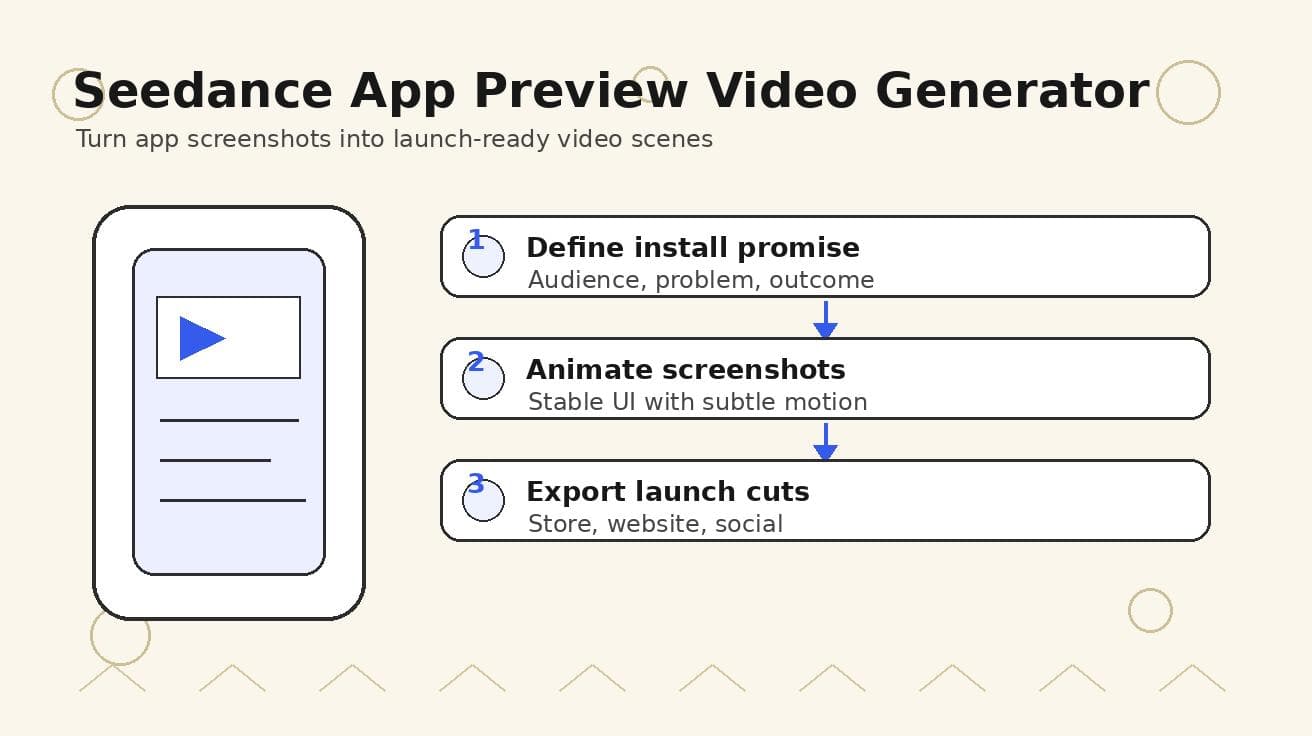
Seedance App Preview Video Generator 2026: Create App Store and Product Launch Clips
Use Seedance to turn app screenshots, feature copy, and launch goals into App Store previews, Google Play promo videos, and product launch clips.
Read article
8 Master Seedance 2.0 Camera Movement Prompts
Unlock cinematic shots with our guide to 8 essential Seedance 2.0 camera movement prompts. Master dolly, crane, orbit, and more with actionable examples.
Read article
Seedance 1.5: Why It's Not Available Yet and Which Version to Use Instead
There is no official Seedance 1.5 release. Here is the real Seedance version map (1.0, V1 Pro, 2.0), why people search for 1.5, and which version to use right now.
Read article