
AI Video Generator for Real Estate: Create Property Videos in Minutes (2026)
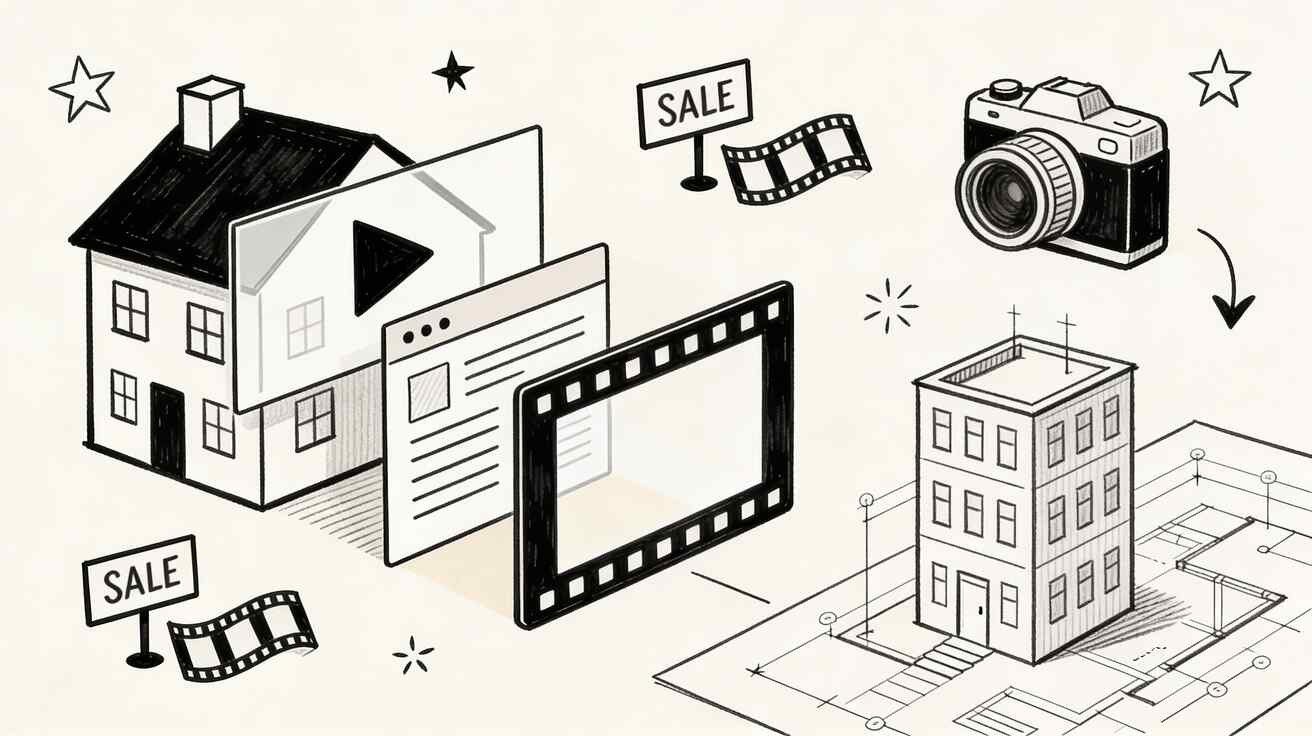
Real estate marketing has entered a new era. Property listings with video get 403% more inquiries than those without, yet most agents still rely on expensive videography or basic slideshows. AI video generators have changed the game entirely — now any real estate professional can create cinematic property tours, neighborhood showcases, and listing videos without hiring a videographer.
Quick Answer: AI video generation with Seedance lets you create stunning, professional-quality videos from text prompts or images in just minutes — no editing experience required.
In this comprehensive guide, we'll show you exactly how to use AI video generators for real estate marketing, compare the best tools, and share proven strategies that top-producing agents are using right now.
Ready to try it yourself?
Free credits on signup. Plans from $20/month.
Why Video is Non-Negotiable in Real Estate Marketing
Before we dive into the tools, let's look at why video matters more than ever for real estate:
The Numbers Don't Lie
- 403% more inquiries on listings with video (National Association of Realtors)
- 73% of homeowners are more likely to list with agents who use video marketing
- 51% of home buyers use YouTube as their primary property search tool
- Properties with video sell 20% faster on average
- Virtual tours reduce unnecessary in-person showings by 40%
The Problem with Traditional Real Estate Video
Traditional property videography costs $500-$3,000 per listing. For agents handling 10-20 listings simultaneously, that's $5,000-$60,000 annually on video alone. Add scheduling complications, weather delays, and editing turnaround times, and it's clear why most agents skip video entirely.
The AI Solution
AI video generators solve every one of these problems:
- Cost: $0-50 per listing instead of $500-3,000
- Speed: Minutes instead of days
- Consistency: Every listing gets video, not just luxury properties
- Scalability: Create videos for your entire portfolio, not just top listings
Best AI Video Generators for Real Estate in 2026
We tested 12 AI video tools specifically for real estate use cases. Here are the top picks:
1. Seedance 2.0 — Best Overall for Property Videos
Seedance 2.0 is our top recommendation for real estate agents because of its exceptional image-to-video capabilities:
Why it wins for real estate:
- Image-to-video magic: Upload property photos and Seedance transforms them into smooth cinematic walkthroughs with natural camera movement
- Consistent quality: Every video looks professionally shot with realistic lighting and movement
- High resolution: 1080p output that looks great on listing platforms and social media
- Fast generation: 30-60 seconds per scene — create a full listing video in under an hour
- Free tier: Test it with your listings before committing
Best use cases:
- Transforming listing photos into virtual tours
- Creating lifestyle scenes showing how spaces look when lived in
- Generating aerial/drone-style views from property photos
- Making social media reels from a single hero image
How to use it for a listing:
- Upload your best property photos to seedance.tv
- Choose "Image to Video" mode
- Add a prompt like "Smooth cinematic pan through this luxury living room, warm natural lighting, real estate showcase style"
- Generate 5-8 scenes from different rooms
- Combine in CapCut or any editor
2. Runway Gen-4 — Best for Virtual Staging Videos
Runway excels at transforming empty rooms into furnished spaces through video:
Strengths:
- Excellent at adding furniture and décor to empty rooms
- Strong motion consistency
- Good color grading controls
- Multi-modal editing (text + image + video)
Best for: Virtual staging that shows potential buyers how an empty space could look.
3. Kling 3.0 — Best for Neighborhood Videos
Kling produces longer continuous clips, making it ideal for neighborhood showcase content:
Strengths:
- Up to 10-second continuous scenes
- Good at outdoor/landscape imagery
- Competitive pricing for bulk generation
- Natural motion quality
Best for: Creating neighborhood and area overview videos.
4. Pika 2.0 — Best for Quick Social Media Content
Pika is the fastest option for creating short-form real estate content:
Strengths:
- Fastest generation times
- Simple interface, minimal learning curve
- Good for Instagram and TikTok formats
- Affordable pricing
Best for: Agents who need to create daily social media content quickly.
Step-by-Step: Creating a Complete Listing Video with AI
Here's the exact workflow we recommend for creating a professional listing video:
Step 1: Prepare Your Photos (10 minutes)
Gather the best photos of your listing:
- Exterior: Front, back, aerial view
- Interior: Living room, kitchen, master bedroom, bathrooms
- Special features: Pool, garden, view, garage, smart home tech
- Neighborhood: Street view, nearby amenities
Pro tip: Use your MLS photos — they're already professionally shot. AI works best with well-lit, high-resolution input images.
Step 2: Generate Video Scenes (30-45 minutes)
Using Seedance 2.0:
For each room, use these prompt patterns:
Living room:
Smooth cinematic dolly shot through a spacious modern living room, warm afternoon
sunlight streaming through windows, subtle dust particles in light beams,
professional real estate video quality, 4K
Kitchen:
Slow tracking shot across a gourmet kitchen island, morning light, subtle camera
movement revealing appliances and countertops, upscale real estate showcase style
Master bedroom:
Gentle pan across a luxurious master bedroom, soft natural lighting, camera slowly
revealing the en-suite bathroom entrance, serene and inviting atmosphere
Exterior:
Smooth aerial-style pan across the front of a beautiful home, golden hour lighting,
manicured lawn and landscaping, drone-style real estate video
Pool/outdoor:
Cinematic wide shot of a backyard pool and patio area, sparkling water reflections,
late afternoon sun, luxury outdoor living real estate video style
Generate 2-3 variations of each scene and pick the best ones.
Step 3: Edit and Assemble (20-30 minutes)
In CapCut (free) or your preferred editor:
- Import all selected clips onto the timeline
- Arrange in logical order: Exterior → Entry → Living areas → Kitchen → Bedrooms → Bathrooms → Outdoor → Aerial
- Add background music: Choose upbeat instrumental music (royalty-free)
- Add text overlays with property details:
- Address
- Price
- Bedrooms/Bathrooms
- Square footage
- Key features
- Include your agent branding: Logo, name, phone, website
- Add a call-to-action: "Schedule a showing today" with contact info
- Export at 1080p in both 16:9 (YouTube) and 9:16 (Instagram/TikTok) formats
Step 4: Distribute (15 minutes)
Upload your finished video to:
| Platform | Format | Best Practices |
|---|---|---|
| YouTube | 16:9, 1080p+ | Long title with address, neighborhood keywords |
| Instagram Reels | 9:16, 60-90s | Hook in first 3 seconds, use trending audio |
| TikTok | 9:16, 30-60s | Quick cuts, text overlays, trending effects |
| 16:9, 1-2 min | Post in local groups, boost for area targeting | |
| MLS/Zillow | 16:9, 1080p | Keep clean, minimal branding |
| Your Website | 16:9, highest quality | Embed on listing page above the fold |
Frequently Asked Questions
Q: What makes Seedance different from other AI video tools? A: Seedance combines state-of-the-art AI models with an intuitive interface, making professional video creation accessible to everyone. Its unique blend of powerful generation capabilities, fast processing, and affordable pricing sets it apart from competitors.
Q: How good is the video quality from Seedance? A: Seedance produces high-quality videos with smooth motion, accurate prompt adherence, and impressive visual fidelity. The platform supports multiple aspect ratios and resolutions, including HD output for professional use cases.
Q: Is Seedance suitable for professional video creators? A: Absolutely. Seedance is used by content creators, marketers, filmmakers, and businesses worldwide. Its advanced controls, high-resolution output, and batch generation capabilities make it a powerful tool for professional workflows.
Advanced Real Estate Video Strategies with AI
Strategy 1: "Day in the Life" Neighborhood Videos
Create lifestyle videos showing what it's like to live in a neighborhood:
- Generate morning scenes (coffee shop, park jogger, school drop-off)
- Daytime scenes (shopping, restaurants, community pool)
- Evening scenes (sunset, dining, neighborhood walk)
- Add narration about the area's highlights
These videos attract buyers to the neighborhood before they see specific listings.
Strategy 2: Seasonal Property Showcases
Generate the same property in different seasons to show year-round appeal:
- Spring: Blooming garden, bright flowers
- Summer: Pool activities, outdoor dining
- Fall: Colorful foliage, cozy interiors
- Winter: Warm fireplace, holiday decorations
This is impossible with traditional videography (you'd need to film 4 times) but trivial with AI.
Strategy 3: Virtual Staging Videos
For vacant properties, AI can generate furnished versions:
- Upload photos of empty rooms
- Use prompts that describe furnished, lived-in spaces
- Generate video walkthroughs of the staged version
- Include side-by-side comparisons in your listing
This saves $2,000-5,000 per listing compared to physical staging.
Strategy 4: Luxury Property Cinematic Trailers
For high-end listings, create movie-trailer-style videos:
- Generate dramatic aerial approaches
- Slow-motion water features and landscape shots
- Golden hour lighting throughout
- Add cinematic music and typography
- End with a dramatic reveal of the property
These videos justify higher listing prices and attract qualified buyers.
Strategy 5: Agent Introduction Videos
Create professional introduction videos using AI:
- Generate scenes of properties you've sold
- Add neighborhood highlights from areas you specialize in
- Include text overlays with your stats and specialties
- Use consistent branding throughout
Real Estate Video SEO: Getting Found on YouTube
Creating videos is only half the battle. Here's how to optimize them for search:
Title Formula
[Address] | [Bedrooms]BR/[Bathrooms]BA | [City] [State] Home for Sale | $[Price]
Example: "1234 Oak Lane | 4BR/3BA | Austin TX Home for Sale | $650,000"
Description Template
🏠 [Address], [City], [State] [ZIP]
💰 Listed at $[Price]
🛏️ [Bedrooms] Bedrooms | 🛁 [Bathrooms] Bathrooms | 📐 [SqFt] Sq Ft

[Detailed property description - 200+ words]

✨ Key Features:
• [Feature 1]
• [Feature 2]
• [Feature 3]

📍 Neighborhood: [Area name]
🏫 Schools: [Nearby schools]
🚗 Commute: [Distance to major destinations]

📞 Contact [Agent Name]
📧 [Email]
🌐 [Website]

#[City]RealEstate #HomesForSale #[Neighborhood] #[City]Homes
Tags to Include
- City + "homes for sale"
- Neighborhood name
- "real estate" + city
- Property type ("luxury home", "condo", "townhouse")
- Price range ("homes under 500k")
Cost Comparison: Traditional vs. AI Real Estate Video
| Aspect | Traditional Video | AI Video (Seedance) |
|---|---|---|
| Cost per listing | $500-3,000 | $0-30 |
| Time to create | 3-7 days | 1-2 hours |
| Equipment needed | Camera, gimbal, drone, lights | Computer + phone photos |
| Scalability | 2-5 listings/month | Unlimited |
| Weather dependent | Yes | No |
| Virtual staging | Separate cost ($200-500) | Included in workflow |
| Seasonal versions | Impractical | Easy to generate |
| Annual cost (20 listings) | $10,000-60,000 | $0-600 |
Common Mistakes Real Estate Agents Make with AI Video
1. Using AI-Generated Interiors for Active Listings
Always use real photos of the actual property. AI-generated interiors that don't match reality can lead to disappointed buyers and potential legal issues. Use AI to enhance, not fabricate.
2. Forgetting Mobile Optimization
70%+ of real estate searches happen on mobile. Always create vertical (9:16) versions for Instagram and TikTok alongside landscape (16:9) versions.
3. Ignoring Call-to-Actions
Every video needs clear CTAs: phone number, website, "Schedule a showing" button. Beautiful videos without CTAs are just art.
4. Not Branding Consistently
Use the same logo placement, fonts, and color scheme across all videos. This builds brand recognition over time.
5. Making Videos Too Long
Optimal lengths:
- Instagram/TikTok: 30-60 seconds
- YouTube/MLS: 1-3 minutes
- Property website: 2-4 minutes Nobody watches a 10-minute AI property video.
Legal Considerations
When using AI video generators for real estate:
- Always disclose that video contains AI-generated or enhanced visuals
- Don't misrepresent the property — AI visuals should enhance, not fabricate features
- Virtual staging disclosure: If showing virtually staged rooms, label them clearly
- NAR compliance: Follow National Association of Realtors advertising guidelines
- Fair housing: Ensure AI-generated neighborhood scenes comply with fair housing laws (no discriminatory imagery)
Getting Started: Your First Week Action Plan
Day 1: Setup
- Create a free account at seedance.tv
- Install CapCut (free video editor)
- Choose 2-3 active listings to start with
Day 2-3: Create Your First Listing Video
- Follow our step-by-step guide above
- Generate 8-10 scenes from your listing photos
- Edit together with music and text overlays
- Export in both 16:9 and 9:16
Day 4: Distribute and Optimize
- Upload to YouTube with proper SEO
- Post to Instagram Reels and TikTok
- Add to your MLS listing
- Embed on your website
Day 5-7: Scale and Refine
- Create videos for remaining listings
- Build a neighborhood video for your farm area
- Create a personal brand/intro video
- Analyze which platforms drive the most engagement
FAQ
Is AI video legal for real estate listings?
Yes, AI-enhanced real estate videos are legal. However, you should disclose AI-generated content and never misrepresent the actual condition of a property. Enhanced lighting and smooth camera movements are fine; adding rooms or features that don't exist is not.
How much does it cost to make AI real estate videos?
With Seedance 2.0's free tier, you can start at zero cost. Most agents spend $20-50/month on AI generation tools, a fraction of the $500-3,000 per video from traditional videography.
Will AI video replace real estate photographers?
Not entirely. Professional photography remains essential for MLS listings. AI video complements photography by adding motion, storytelling, and engagement that static photos can't provide. The best approach combines professional photos with AI-generated video.
Can I use property photos from the MLS?
If you're the listing agent, yes — you own or have rights to those photos. If you're a buyer's agent, check your local MLS rules about using listing photos for video content.
How long should a real estate video be?
For social media (Instagram, TikTok): 30-60 seconds. For YouTube and MLS: 1-3 minutes. For your website: up to 4 minutes. Shorter is almost always better — engagement drops dramatically after 2 minutes.
What about drone footage?
AI can generate drone-style aerial views from ground-level photos, which is incredibly valuable. For actual drone footage of the specific property, you'd still need a licensed drone pilot or your own Part 107 certification.
Do buyers care if videos are AI-generated?
Research shows buyers care about the information and visual appeal of listing videos, not the production method. A well-made AI video outperforms a poorly made traditional video every time.
Start Creating Property Videos Today
The real estate agents who embrace AI video now will have a massive advantage as this technology becomes mainstream. With tools like Seedance 2.0, you can create professional listing videos in a fraction of the time and cost of traditional methods.
Every listing deserves a video. AI makes that possible.
Get started with Seedance 2.0 →
Explore more AI video guides: Text-to-Video AI Free Guide | Image-to-Video AI | Best AI Video Generator 2026
Our Verdict
After thorough evaluation, Seedance stands out as our top recommendation for AI video generation. Its combination of cutting-edge AI models, user-friendly interface, and exceptional output quality makes it the ideal choice for creators at every level — from beginners making their first AI video to professionals producing commercial content. Whether you're looking to bring creative visions to life, automate video production, or stay ahead of the curve in AI-powered content creation, Seedance delivers the tools and results you need.
Ready to try it yourself?
Put the steps from this guide into practice with Seedance and turn prompts or images into polished videos in minutes.
Free credits on signup. Plans from $20/month.
Related Articles
More posts in the same locale you may want to read next.
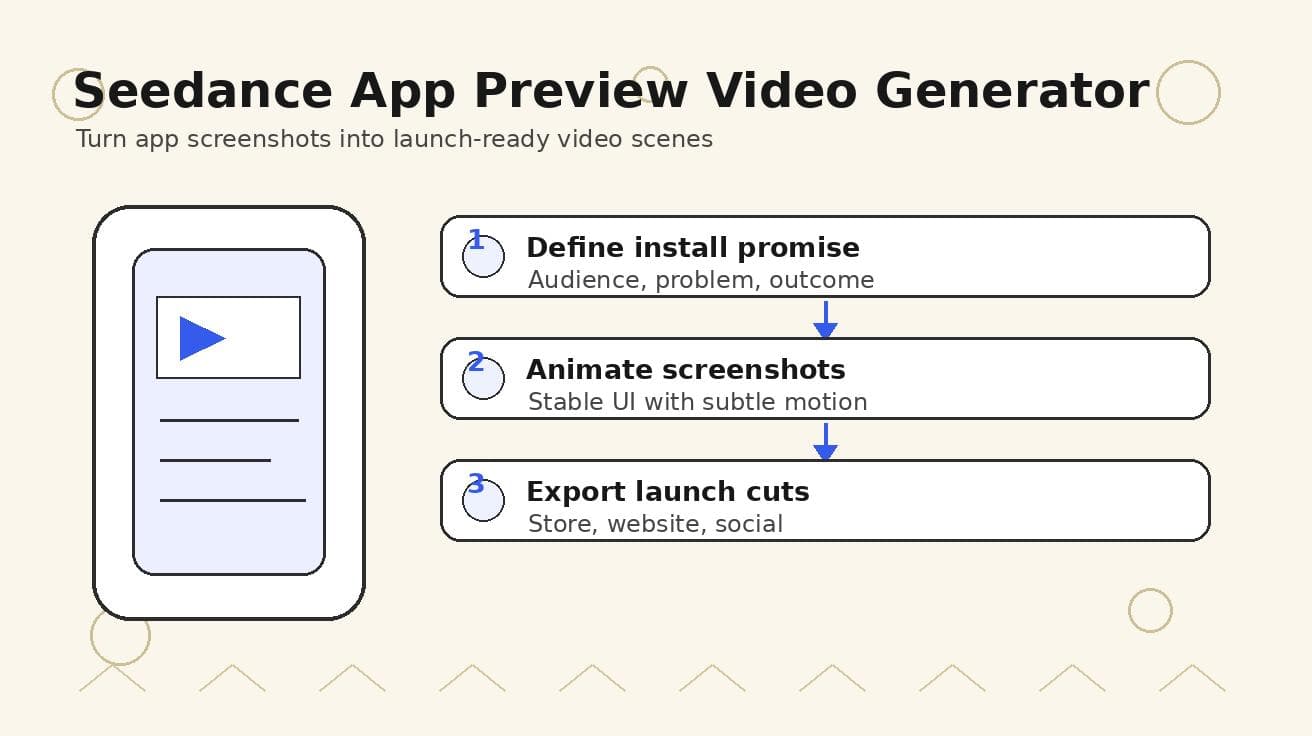
Seedance App Preview Video Generator 2026: Create App Store and Product Launch Clips
Use Seedance to turn app screenshots, feature copy, and launch goals into App Store previews, Google Play promo videos, and product launch clips.
Read article
8 Master Seedance 2.0 Camera Movement Prompts
Unlock cinematic shots with our guide to 8 essential Seedance 2.0 camera movement prompts. Master dolly, crane, orbit, and more with actionable examples.
Read article
Seedance 1.5: Why It's Not Available Yet and Which Version to Use Instead
There is no official Seedance 1.5 release. Here is the real Seedance version map (1.0, V1 Pro, 2.0), why people search for 1.5, and which version to use right now.
Read article